

The platform offers multiple options for withdrawing funds — from classic bank cards to modern e-wallets and cryptocurrencies. This variety shows the platform’s reliability and its focus on different user preferences.
Here’s the key rule: The withdrawal method must match the one used for depositing funds.
So, if a player topped up their balance with Paytm or UPI, they’ll have to withdraw the winnings through the same system. This helps prevent fraud and ensures compliance with financial regulations.
Crypto wallets are another option. They’re valued for anonymity and speed, but keep in mind — exchange rates and blockchain fees may slightly change the amount you receive.
Step-by-Step: How to Withdraw Money
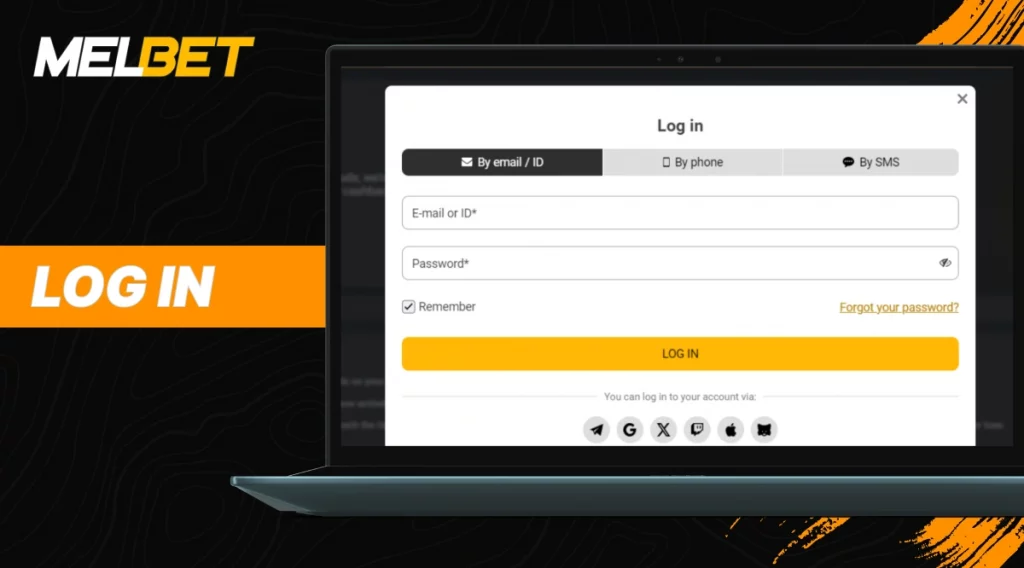
Withdrawing your winnings is a simple process, but it’s important to follow each step carefully to avoid delays or errors. Below is a clear, step-by-step guide that shows exactly how to withdraw money from MelBet safely and efficiently.
1. Log in to your account on the official MelBet India website.
2. Open the “Withdrawal” section in your personal account.
3. Select a payment system — for instance, UPI, Paytm, PhonePe, bank card, or crypto wallet.
4. Enter the withdrawal amount (within the allowed limit).
5. Confirm the request and wait for approval.
Processing usually takes from several minutes to a few hours, depending on the method. Bank transfers can take longer — up to 3 business days.
Submitting a Withdrawal Request
To initiate a payout, players must submit a withdrawal request. It’s a simple digital form that includes:
- amount to withdraw,
- chosen payment system,
- account details (UPI ID, wallet number, or bank account).
The request must be confirmed via a one-time password or code sent to the player’s registered phone number or email. This extra step helps secure the transaction and verify that the real account holder is requesting the payout.
What Is Verification and Why It Matters
Verification is the process of confirming your identity before withdrawing money from MelBet. In simple terms, the platform must make sure that the person requesting the payout is the same one who made the deposit and placed the bets.
Why it’s important:
- It protects players from unauthorized access.
- It helps the bookmaker comply with anti-money-laundering laws.
- It ensures that funds are sent to the rightful owner.
Usually, MelBet asks to upload a copy of an ID — passport, driver’s license, or Aadhaar card — and sometimes a proof of address (like a utility bill). The verification takes from a few hours to one working day.
If a user skips verification, their withdrawal request will stay pending until the process is completed. In some cases, the system can automatically block the withdrawal option until all documents are checked.
Withdrawal Methods for Players from India
Below is a table showing popular withdrawal options available for MelBet users from India. All of them support Indian rupees and local financial infrastructure.
| Payment System | Min–Max Withdrawal | Processing Time | Commission |
| UPI / Paytm / PhonePe | ₹500 – ₹100,000 | 15 min – 24 h | No |
| NetBanking / IMPS | ₹1,000 – ₹200,000 | 1–3 business days | No |
| Crypto wallets (Bitcoin, Ethereum, Tether) | equivalent to ₹1,000 – ₹1,000,000 | 15 min – 2 h | Network fee |
| E-wallets (Skrill, Jeton, AstroPay) | ₹500 – ₹200,000 | Up to 24 h | No |
| Bank Cards (Visa, Mastercard) | ₹1,500 – ₹100,000 | 1–5 business days | Depends on bank |
Each method has its own conditions. For instance, UPI and Paytm are faster and simpler for local transfers, while cryptocurrency is better for those who prefer global anonymity.
Withdrawing via Mobile Site and App
Many players use MelBet in India through smartphones. The process of withdrawing money from MelBet via mobile devices doesn’t differ much from the desktop version.
From the mobile site:
- Open the browser, go to the official site, and log in.
- Tap on the menu → “Withdraw Funds.”
- Select your preferred payment system, enter the amount, and confirm.
From the MelBet app:
- Open the app and go to your profile.
- Choose “Withdraw” in the wallet section.
- Select a method (UPI, Paytm, crypto, or card).
- Confirm using the same steps as on the website.
For Android and iPhone users, the layout may differ slightly, but the process is identical. Both systems support secure connections and verification through fingerprint or Face ID if enabled.
Common Withdrawal Errors
Even experienced players sometimes face issues when withdrawing funds. Most of them are caused by small mistakes.
1. Exceeding payment system limits. Each method has a withdrawal cap. For example, UPI often limits transactions to ₹100,000 per day.
2. Using someone else’s card or wallet. The withdrawal must be made only to an account registered in your own name. Otherwise, the transaction will be rejected.
3. Mismatch between deposit and withdrawal method. If you deposited through Paytm but try to withdraw via NetBanking, the system may block it.
4. Unverified account. The most common issue — the withdrawal won’t go through until verification is complete.
5. Wrong payment details. Mistyped UPI IDs or wallet numbers lead to delays. Always double-check your data before confirming.
What to Do If You Can’t Withdraw Funds
When withdrawing money from MelBet, technical or procedural issues can sometimes appear. Most of them have straightforward solutions.
1. Check your account balance. Sometimes users forget about active bets or bonuses. Until those are settled, a part of the balance remains frozen and unavailable for withdrawal.
2. Review verification status. If the withdrawal is pending for too long, open your account settings and check whether your documents were approved. If not, re-upload the ID scan in high quality — blurred photos are often rejected.
3. Recheck payment details. Incorrect UPI ID or bank account number is a frequent reason for failed transactions. A single missing digit can block the operation.
4. Look for email or SMS notifications. MelBet usually informs users about withdrawal status. Messages may contain a reason for delay or a request for additional data.
5. Contact customer support. If none of the above helps, it’s better to contact the support team through the live chat on the site or in the app. They can trace the transaction and clarify what caused the problem. Support works 24/7 and responds in English and Hindi.
FAQ
How long does it take to receive a withdrawal on a card?
Bank cards usually take 1 to 5 business days, depending on the issuing bank. E-wallets and UPI are faster — often within an hour.
Is there a limit on withdrawals?
Yes, limits depend on the payment method. UPI allows up to ₹100,000 per day, while e-wallets and crypto options can reach ₹200,000 or more per transaction.
Can I withdraw money in cryptocurrency?
Yes, players from India can withdraw winnings in Bitcoin, Ethereum, or Tether. Processing takes 15–120 minutes. Keep in mind that the actual amount depends on the current blockchain fee and exchange rate.